
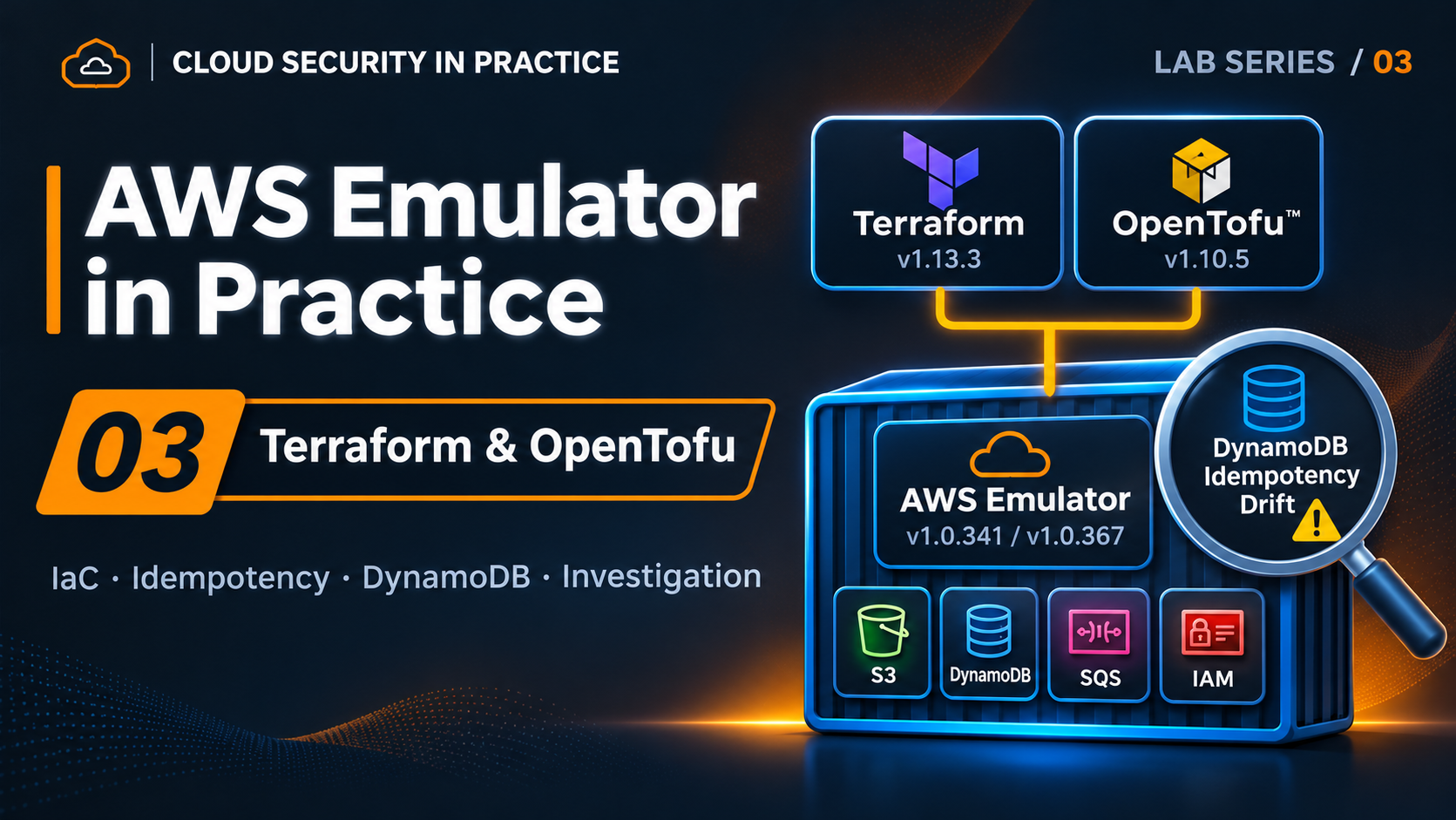
AWS Emulator in Practice · Part 03 · 5-minute read
After testing AWS Emulator in Docker, I wanted to go one step further: can we deploy infrastructure with Terraform against the emulator and use it to check that our changes behave as expected?
The short answer is yes. But my tests uncovered two things worth looking at: an idempotency issue with DynamoDB and the possibility of the AWS provider sending requests to real AWS if we don’t configure endpoints correctly.
Deploying infrastructure with Terraform
I used Terraform 1.13.3 and AWS provider 6.16.0 against AWS Emulator 1.0.341. The architecture was deliberately simple: a versioned S3 bucket, a DynamoDB table, an SQS queue and an IAM role with an attached policy.
The final configuration managed eight Terraform resources, including a random suffix persisted in state. I could create the resources, verify them with the AWS CLI, change a queue tag and destroy everything without leaving resources from the run behind.
I repeated the exercise with OpenTofu 1.10.5 and the same providers. The configuration worked after adjusting the tool’s version constraint, which had initially required exactly Terraform 1.13.3.
Promising results. But creating resources is not enough to validate an Infrastructure as Code workflow. A second plan, with no configuration changes, should also propose no changes.
The idempotency problem
My initial design used timestamp() in resource names to distinguish each run. That was a mistake: the value changes between runs, so Terraform proposed replacing resources even though I hadn’t changed the code.
I fixed this with random_id, whose value is persisted in state. S3, SQS and IAM stopped showing unexpected changes. DynamoDB, however, still proposed an update.
I reduced the problem to a single table, without random suffixes or dependencies:
resource "aws_dynamodb_table" "repro" {
  name         = "aws-emulator-lab-02-repro-min"
  billing_mode = "PAY_PER_REQUEST"
  hash_key     = "pk"

  attribute {
    name = "pk"
    type = "S"
  }
}
Instead of relying on Terraform’s console output, I saved the plan and examined its JSON representation. The result was very specific: exactly one attribute changed.
"actions": ["update"],
"before": {
  "on_demand_throughput": [{
    "max_read_request_units": -1,
    "max_write_request_units": -1
  }]
},
"after": {
  "on_demand_throughput": []
}
The value -1 means there is no configured maximum for that type of on-demand throughput. The DescribeTable response contained those values, but my HCL did not declare the block. Terraform proposed removing it through an in-place update, not replacing the table.
Applying the plan produced an UpdateTable request without any updatable attributes. The emulator returned ValidationException, and the next plan proposed the same operation again. The workflow would not converge.
Is this an emulator issue?
My initial hypothesis was that some fields were missing from the DynamoDB response. After reducing the reproduction and reviewing the API documentation, I found that this hypothesis did not explain the behavior.
In the AWS provider v6.16.0 source code, the on_demand_throughput block is optional and is not marked as computed. The provider preserves the API’s values in state; the plan then tries to reconcile them with a block that is absent from the configuration.
I repeated the minimal reproduction with AWS Emulator 1.0.367 and got the same result. I also observed the residual behavior with OpenTofu using the same provider.
I have not compared this case with a table running in real AWS. I therefore cannot conclusively attribute the issue to the emulator or the provider. What I can say is that the behavior is reproducible with the specified versions.
The workaround I verified was to declare the block explicitly in HCL:
on_demand_throughput {
  max_read_request_units  = -1
  max_write_request_units = -1
}
With that configuration, the plan stopped proposing the change. This is a tested workaround for this scenario, not a general solution for every DynamoDB issue in Terraform.
The other finding: Terraform can leave the lab
When I added IAM to the architecture, I forgot to include its endpoint in the provider configuration. During that test, Terraform attempted to contact iam.amazonaws.com using emulator credentials and received HTTP 403 errors. No real resources were created, but requests did reach AWS.
Explicit service endpoints are an important first step:
endpoints {
  s3       = var.emulator_endpoint
  dynamodb = var.emulator_endpoint
  sqs      = var.emulator_endpoint
  sts      = var.emulator_endpoint
  iam      = var.emulator_endpoint
}
But they are not an isolation guarantee. Other configuration layers, such as AWS_ENDPOINT_URL and the configuration file generated by the emulator, can also influence endpoint selection. I added an independent barrier: running the tools and emulator inside a Linux network namespace with no external route.
I prepared dependencies before starting the isolated environment. In a negative test, I deliberately removed all three endpoint configuration layers: Terraform attempted to use the real IAM endpoint, but the lack of connectivity caused a controlled failure. I no longer had to rely solely on the credentials being fictitious.
This provides network isolation for the experiments, not a complete sandbox for untrusted code.
Conclusion
AWS Emulator has allowed me to test the lifecycle of a simple architecture with Terraform and OpenTofu, detect out-of-band changes and investigate a compatibility problem without creating infrastructure in AWS.
The main lesson is that a successful apply does not, on its own, demonstrate a reliable workflow. We need to check the second plan, investigate discrepancies and verify that every request reaches the intended environment.
In the next article, we’ll explore CloudFormation and AWS CDK, including CDK bootstrap.
Reproduce the investigation
The IaC lab for this series contains the configuration, the minimal DynamoDB reproduction and the plan and error evidence. Use an isolated test environment without real credentials, and read the repository’s safety instructions before running the experiments.
Related articles
Interested in Cloud Security?
Technical analysis, hands-on labs and real-world cloud security insights.

Francisco Sepúlveda
Cloud Computing & Cybersecurity Instructor, Learning Experience Designer
Instructor and consultant in Cloud Computing, Cybersecurity and AI, with more than 25 years of hands-on experience in real enterprise environments. I design and deliver technical training programs, combining deep subject-matter expertise with learning experience design to make complex security concepts stick. I share practical, applied analysis on Cloud Security in Practice.
More about me →